Best Driving School Software 2026: Comparing Alternatives

Best Driving School Software 2026: Comparing Alternatives

Zutobi
by Zutobi · Updated Apr 08, 2026

There are many software solutions out there, and as a driving school, it can be difficult to know how they stand up against each other.

Many software solutions on the market offer only partial solutions. Some excel at scheduling but don’t offer the reporting or educational features you need. Others may provide great educational content but fall short when it comes to handling the administrative side of things.

In this in-depth look, we’ve compared the top driving school software alternatives so you can determine which one is the best fit for your needs:

  • Zutobi Instructor
  • DrivingSchoolSoftware.com
  • Drive Scout
  • Drivers Ed Solutions
  • Driveato
  • Driving GradeBook

We’ve broken down their pricing, user ratings, key features, and strengths and weaknesses. No fluff, just the info you need to make the right choice for your driving school.

Here’s a quick comparison table of these tools. For a more detailed overview, read below.

PlatformStarting PriceFree TrialBest ForAverage Rating
Zutobi InstructorCustomYesAll-in-One scheduling and management + integrated curriculum5.0/5.0 (Capterra)
DrivingSchoolSoftware.com$5-$10 per student (+ setup fee)No (demo only)Comprehensive features, including compliance and scheduling5.0/5.0 (Capterra)
Drive Scout$50/user/month (+$250 setup fee)No (demo only)Scheduling and website integration3.8/5.0 (G2)
DriveatoCustomAutomated solution for larger schoolsNo reviews
Drivers Ed Solutions$6.25 per student (+$600-$1200 setup fee)No (demo only)Scheduling and student management with unlimited users5.0/5.0 (Capterra)

3.6/5.0 (G2)
Driving GradeBookCustomYesPerformance tracking and grading system for studentsNo reviews (Capterra)

1. Zutobi Instructor – Best All-in-One Solution with Built-in Curriculum

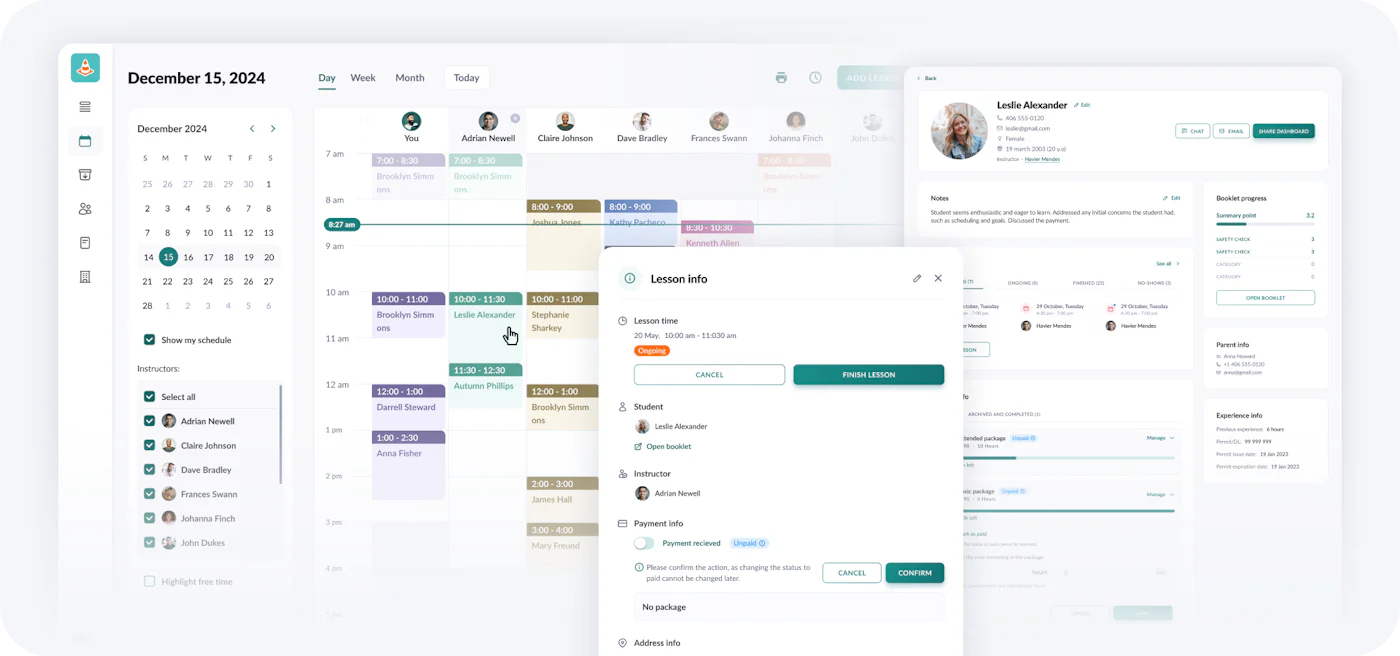
Zutobi Instructor
Zutobi Instructor

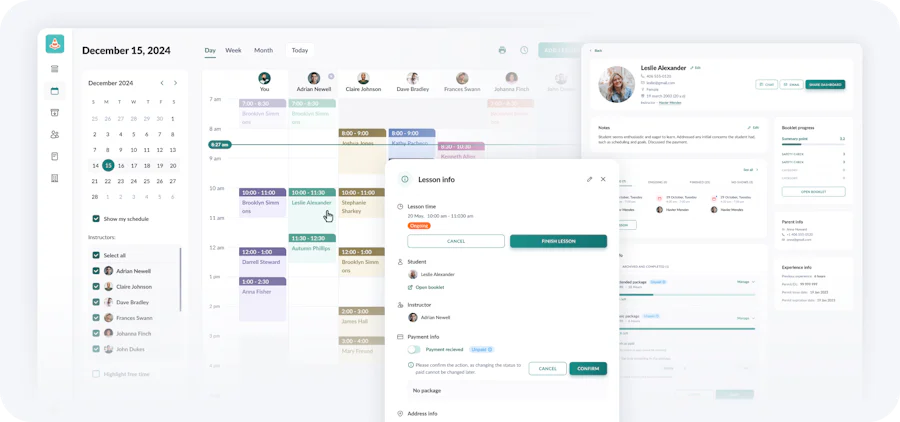
At Zutobi, we believe running a driving school should be easy. Too many management tools are impersonal, difficult to set up, and offer a frustrating user experience for both schools and students.

That’s why we built Zutobi Instructor with schools at the heart of everything we do, focusing on simplicity, efficiency, and a user-friendly experience. This has also been reflected in last year’s performance, as we’re the fastest-growing driving school software in the U.S. – here’s why:

Key Features

  • Built-in Curriculum: Includes engaging educational content such as lessons, quizzes, and simulations. Also includes an in-class curriculum with modern slides and videos.
  • Progress Tracking: Tracks student progress and provides real-time reports to both students and parents.
  • Smart Scheduling: Intuitive calendar, automated reminders, and gap-filler notifications for last-minute cancellations.
  • Open slots: Online booking capabilities for students to book lessons by themselves.
  • Multi-location Support: Manage multiple locations under one account.
  • Payment and Billing: Streamlined payment processing and easy-to-read financial dashboards.
  • Parent Training Guide: Step-by-Step lessons that you can upsell to parents, increasing profits.

Strengths

  • Zutobi is the only platform that combines complete school management tools with a full curriculum, saving on external educational content.
  • Quick onboarding and dedicated customer support.
  • Easy to use
  • Rapidly Evolving (Weekly Updates): We constantly listen to our driving schools and add new features weekly. Here are just a few major tools added in the last 6 months:
    • Safe, Online E-signatures
    • Website builder & Hoasting
    • Slot Visibility Controls
    • Bulk actions
    • And more…

Drawbacks

As a newer product on the market, Zutobi Instructor might currently lack some highly specific or niche features found in older, legacy software. If you need something, let us know and we’ll add it as soon as possible!

Security

Zutobi Instructor uses the highest enterprise-grade security standards to ensure your school’s data, and your students’ personal information, is always protected. As of the writing of this post, these security measures are in place:

  • Bank-Level Encryption: All data, whether it’s traveling between your device and our servers or stored in our databases, is protected by advanced encryption (TLS 1.2+ and AES-256).
  • Strict Privacy & Compliance: We take student data seriously. We are fully compliant with major privacy regulations including GDPR, FERPA, and COPPA. Plus, all payments are handled securely by certified PCI DSS-compliant processors.
  • Enterprise Infrastructure: Hosted on Google Cloud Platform and protected by Cloudflare, our software benefits from the same world-class firewalls and DDoS protection used by leading tech companies, meaning your system stays online and secure from malicious attacks.
  • Automated Backups & Reliability: With automated, routine backups and high-availability systems in place, you never have to worry about losing your business data.

Pricing

Our custom pricing means we can tailor the platform to meet the specific needs of your school, whether you’re a small business or a larger multi-location operation. Plus, we offer a free trial, so you can try everything out with zero commitment.

2. DrivingSchoolSoftware.com – The longest-standing platform

As one of the longest-standing platforms, DrivingSchoolSoftware.com is known for its extensive features, including student registration, lesson scheduling, and compliance reporting. Used by driving schools across the U.S. and Canada.

NOTE: Recent Security Concerns relating to DrivingSchoolSoftware.com

In August 2025, DrivingSchoolSoftware.com allegedly experienced a major data breach where an “unknown actor gained unauthorized access to its network and acquired certain files containing personal information.” This resulted in driving schools that rely on the platform having to issue formal breach notifications to their students whose private data was exposed.

Read the official data breach notice filed with the Attorney General here (January 16, 2026), and another breach investigation by Cole & Van Note Law relating to the incident.

Why this matters: Protecting personal data is a significant legal responsibility for driving school owners. Security incidents like this highlight the importance of thoroughly vetting a software vendor’s technical infrastructure before trusting them with student information. Regardless of which platform you choose, we strongly recommend looking for software that provides transparent security measures to keep your business and your students safe.

Pricing

$5-$10 per student, plus setup fee.

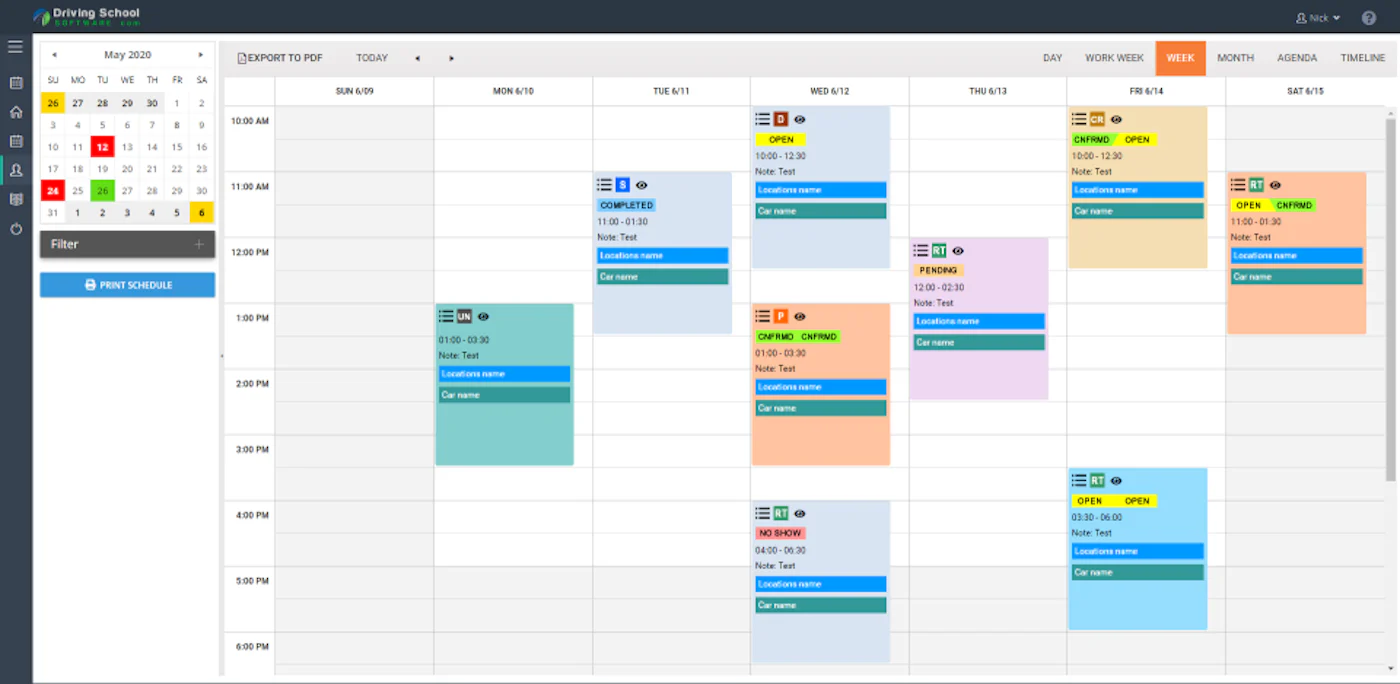
DrivingSchoolSoftware

Key Features

  • Comprehensive Scheduling: Manage both classroom and behind-the-wheel lessons.
  • Student Enrollment: Online student registration with automated confirmations and e-signatures.
  • Compliance Reporting: Supports state-specific forms and certifications.
  • Billing & Payment: Integrated payment processing and invoice tracking.
  • Website Hosting: Offers a free mobile-friendly website for schools.

Strengths

  • The platform is well-established
  • A customizable system with no extra fees for adding users or locations.

Drawbacks

  • DrivingSchoolSoftware.com’s user interface can feel outdated and a bit cumbersome
  • Many features, which is great for some users, but can also make the software difficult to learn for users that aren’t tech-savvy.
  • Takes weeks to get started
  • No free trial
  • Recent data breach

3. Drive Scout – User-Friendly Scheduling

Drive Scout focuses on streamlining lesson scheduling and payments while offering website integration for ease of access. With an average rating of 3.8/5, users find the system effective but note some complexity.

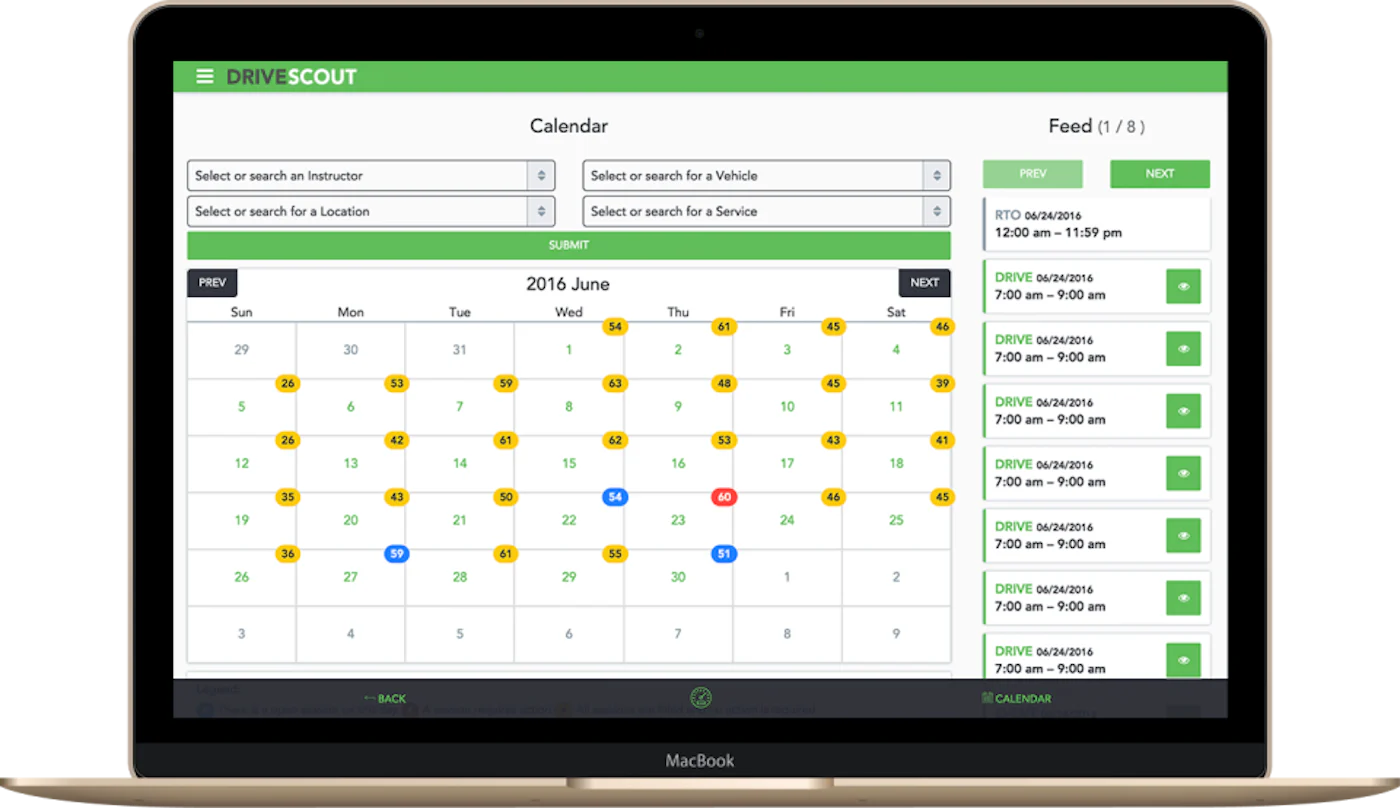
Drive Scout
Drive Scout

Pricing

$50 per user, per month (plus a $250 setup fee).

Key Features

  • Online Scheduling: Students can book lessons via the website, synced to the system.
  • Progress Tracking: Track student progress with notes from instructors.
  • Payments: Supports online payment processing.
  • Website Integration: Offers website templates and integration for easy setup.

Strengths

  • Simple pricing and modern interface.
  • Offers a unique feature of website integration, providing a seamless online booking experience.

Drawbacks

Lacks advanced grading tools or an integrated curriculum.

4. Drivers Ed Solutions – Scheduling with Unlimited Users

Drivers Ed Solutions is known for its robust scheduling system. It allows unlimited users and locations.

Pricing

$6.25 per student, plus a $600-$1200 setup fee.

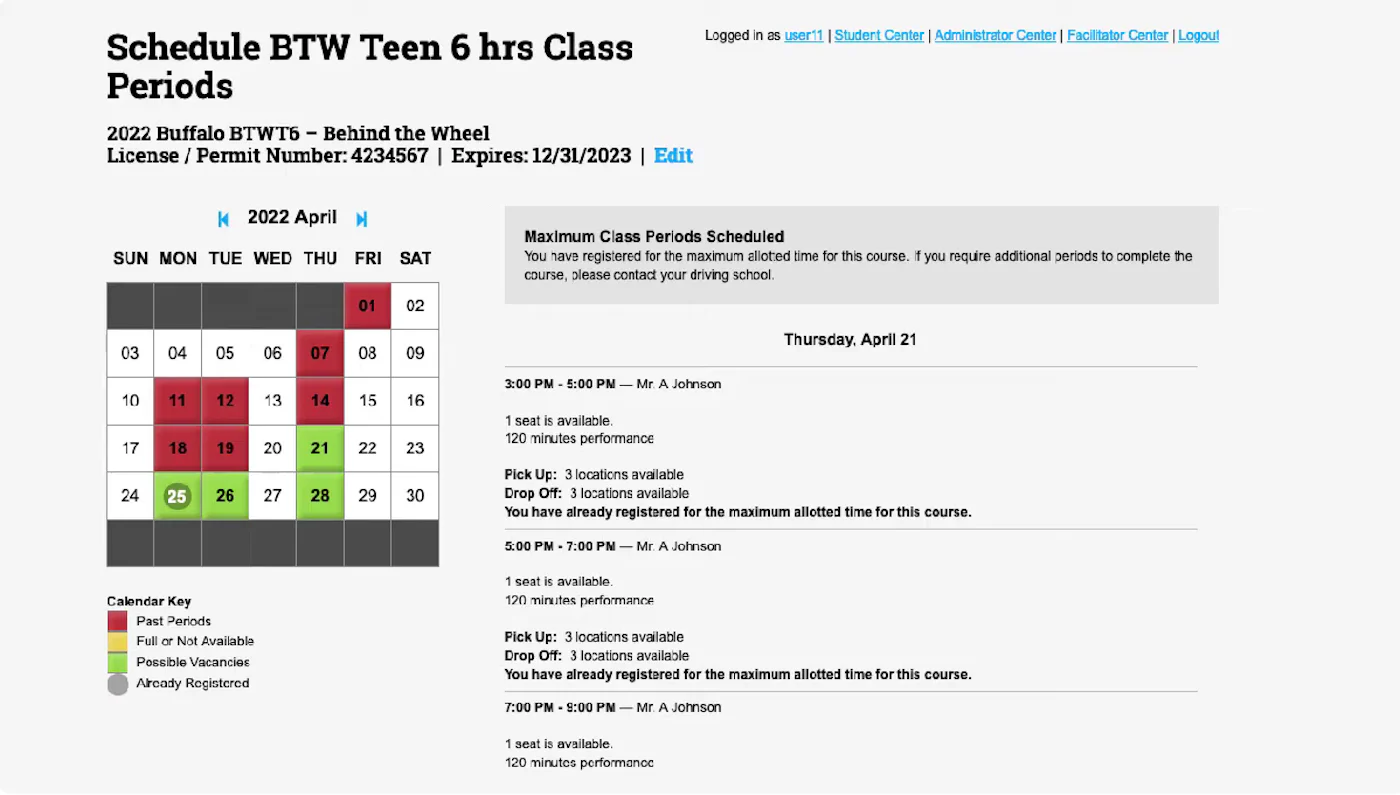
Drivers Ed Solutions

Key Features

  • Student Self-Registration: Students can enroll online anytime.
  • Scheduling: Supports in-car and classroom scheduling.
  • Payment Tracking: Includes payment processing and billing features.

Strengths

  • Unlimited accounts and locations without extra charges.
  • Support and 24/7 customer service.

Drawbacks

  • Lacks some advanced features like detailed data reporting.
  • Pricing is not transparent.
  • Old system that is somewhat outdated and hard to manage

5. Driveato – Scalable, “Automatic” Software

Driveato offers an automated system designed for larger schools with multiple instructors and locations.

Pricing

Pricing is custom and quote-based.

Key Features

  • Automated Scheduling: Smart scheduling and task automation to minimize manual input.
  • Student Management: Track student progress and performance.
  • Multi-location Support: Manage multiple branches seamlessly.
  • Payment and Finance: Robust financial tracking.

Strengths

  • Scalability functionality.
  • Automated system that reduces administrative work.

Drawbacks

  • Limited public information on pricing and features.
  • May be more advanced than needed for smaller schools.
  • No curriculum
  • New to the U.S. market

6. Driving GradeBook – Student Performance Tracking

Overview: Driving GradeBook focuses on grading and tracking student performance during lessons. It’s ideal for schools that want to give detailed feedback to students and parents.

Pricing

Pricing is custom and quote-based.

Key Features

  • Grading System: Record student performance during lessons and share instant reports.
  • Scheduling and Payments: Includes lesson scheduling and payment tracking features.
  • Fleet Management: Track vehicle use and maintenance.

Strengths

  • Focused on grading and progress tracking.
  • Provides real-time feedback to students and parents.

Drawbacks

  • Still evolving, with some features not as developed as other platforms.
  • Not as robust in other areas like state reporting or compliance.

Conclusion: Which Driving School Software Should You Choose?

Choosing the right software is one of the most important decisions you will make for your driving school. While platforms like DrivingSchoolSoftware.com have longevity, their recent security vulnerabilities and outdated interfaces might give modern school owners pause. On the other hand, tools like Drive Scout and Driveato offer good features but completely lack an integrated curriculum.

If you are looking for a comprehensive all-in-one solution that prioritizes simplicity, top-tier data security, and has an engaging built-in curriculum, Zutobi Instructor is a top choice.

Transform Your Driving School Into a Success Story
Simple and automated admin
More time for teaching
#1 learning materials for students
instructor image

Ace your DMV test, guaranteed