
All-in-One Scheduling Software for Driving Schools
Students book and pay for lessons and packages against your real availability. Instructors, cars, bookings, and zones in one system.
 4.9/5.0 from school owners2-week free trial · No setup fee · Live in under 30 min
Trusted by 100+ driving schools across 25 states


Scheduling Built Around Instructors, Vehicles, and Zones
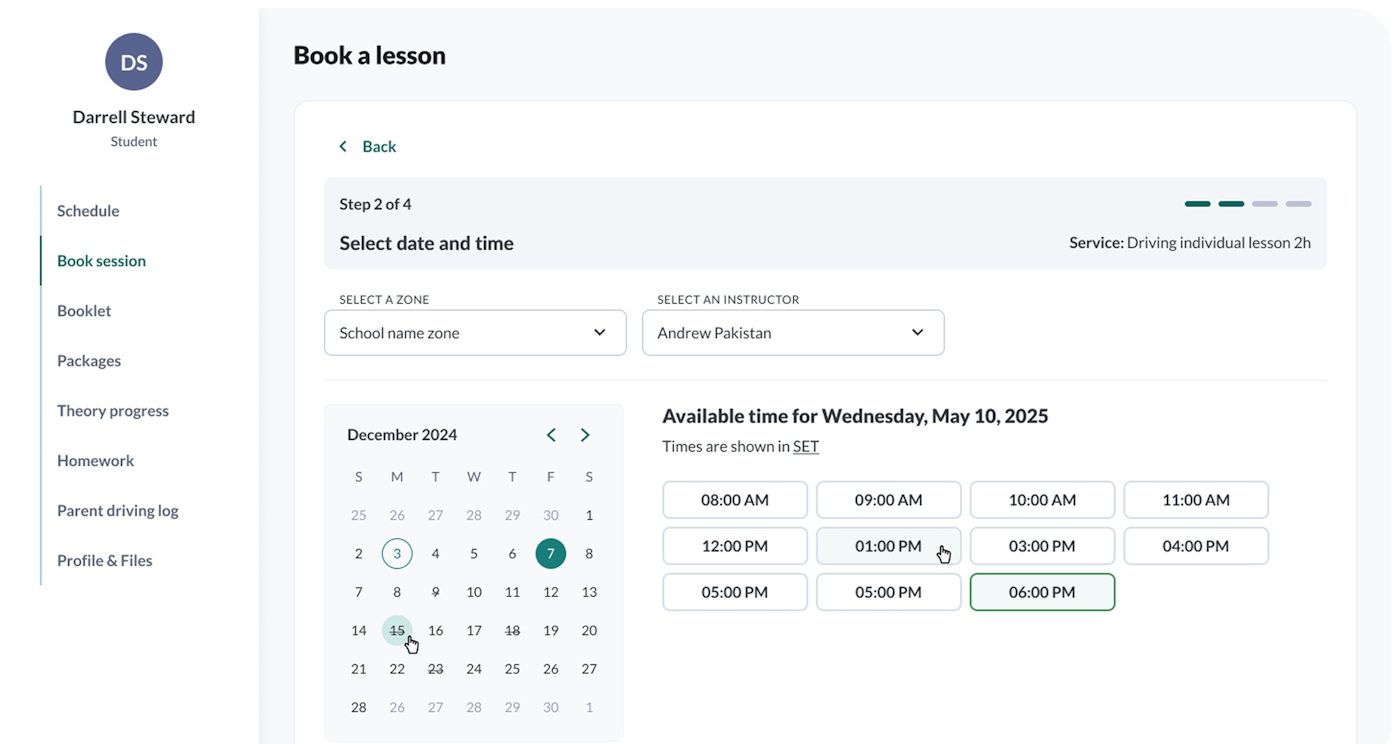
In this example, Priya is off from the 4th to the 8th, so nothing can be booked with her those days.
- Booked lesson
- Outside working hours
In this example, Corolla #2 is already out on a lesson, so that second slot is never offered to a student.
- NorthThree lessons, eight minutes apart
- EastTwo lessons, both with Dev
- Behind-the-wheel60 min, $85
- Classroom session90 min, $45
- Road test prep120 min, $180
- Lesson time
- Buffer after
- Student and parent notified
- Calendar invites replaced
- Civic #1 assigned, Corolla #2 released
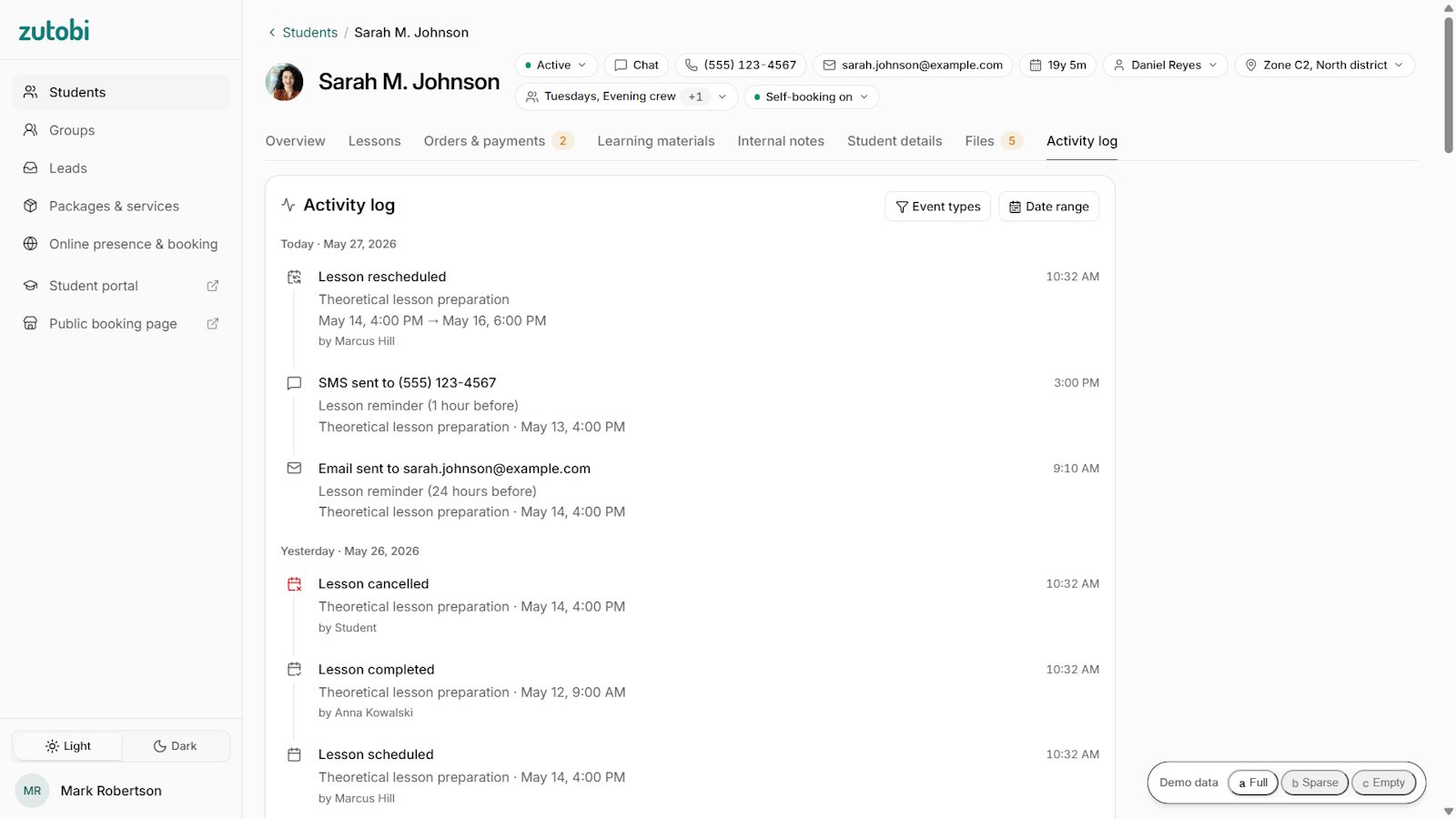
In this example, the old slot is opened up again and automatically offered to other students as they book.
How it Works for Your Students
Advancing every 8 seconds · hover to pause, click a step to stop.
Tuesday, Aug 4 at 10:30 AM with Maria Santos
- Confirmation emailed to student and parent
- Calendar invite added
- SMS and email reminders scheduled
- Corolla #3 assigned, in the North zone
You Set the Rules, our Smart Scheduling System Enforces Them
Set each rule once. Every booking, reschedule, and cancellation is held to it after that — including how packages are sold and when money is collected.
Payment rules per lesson type
Require payment at booking where it matters, and allow pay-later where it doesn't. The booking flow follows whatever you choose, per lesson type.
Late-cancel and no-show policies
Set the cutoff and what happens past it. The charge is applied automatically and the freed slot goes back on the booking page.
Instructor and vehicle availability
Working hours and time off per instructor, and which car each one drives. Both have to be free before a slot is bookable.
Sell Packages, Not Just Single Lessons
Parents aren't buying an hour of driving; they're buying a licensed teen. Packages let you sell it that way and grow the sale: a 10-lesson bundle, a teens package with classroom sessions, a road test package that includes the school car.
You decide the contents and the price. Families pay upfront, so the revenue lands before the first lesson is scheduled, and students book as they go.
Payments Happen at Booking, Not After
Payment is part of the booking flow, processed through Stripe. Students pay when they book (or later if your rules allow) and the payment lands on their record.
Paid-versus-outstanding shows per student. Upfront payment also changes no-show economics for driving schools: skipping a paid lesson costs the student, not the school.
How we compare against other scheduling software
- Included
- PartialLimited, manual or varies
- Not included
| Feature | Zutobi Instructor — From $99 / month — 8 of 8features included | Spreadsheet — Or a paper diary — 0 of 8+ 6 partial | Generic booking tools — Bookeo, SimplyBook.me, SuperSaaS, Acuity — 3 of 8+ 1 partial | Driving-school platforms — DriveTrak, Teachworks, Drive Scout, and similar — 3 of 8+ 4 partial |
|---|---|---|---|---|
| Instructor calendars | Yes, with individual rules | PartialManual | Yes | Yes |
| Vehicle assignment | Core scheduling, conflicts blocked | PartialManual | No vehicle concept | PartialUsually; sometimes an add-on |
| Service zones | Included | PartialIn someone’s head | Not offered | PartialVaries: some have them, most don’t |
| Student self-booking | Yes, checked against instructor, vehicle, and zone together | Not offered | Yes | Yes |
| Reminders | Automated SMS + email, no extra charges | PartialManual calls | PartialBasic, sometimes metered | Standard on most |
| Student record on the booking — Forms, behind-the-wheel hours, payments | Attached to every booking | PartialSeparate files | Not offered | PartialRecords yes; logged hours on the booking rarely documented |
| Teaching content | Built-in state-specific curriculum | PartialSeparate purchase | Not offered | Not built in; third-party at best |
| Pricing transparency | From $99/mo published, first 12 students included | Not offered | Published, low monthly | PartialMixed: some published, several quote-only |
Generic booking tools like Bookeo, SimplyBook.me, SuperSaaS, and Acuity book appointments well for salons and studios. A driving school runs on constraints they don't model: vehicles, zones, the student's paper trail, and more. They often treat a driving lesson like any other appointment, failing to recognize that a driving school needs more.
Competitor capabilities and pricing models verified July 2026.
Comparing platforms? See our full comparison of 6 driving school software platforms.
What school owners say
I like the scheduling feature, and that it notifies the students and reminds them about appointments.
Verified reviewsAs a new driving school, we use Zutobi for their content and for helping us manage our school back office operations. It was easy for us to integrate with our website and makes the experience for our customers seamless for them to sign up and pay for courses and services.
The software offers an intuitive and user-friendly interface, ensuring a seamless experience for all users. A core feature is its sophisticated and automated notification system, which proactively engages both clients and staff. This system automatically dispatches reminder text messages to clients, significantly reducing no-show rates and improving overall appointment adherence.
I help students that experience disability and this platform really opens up doors for students that learn in different ways. It has been a game changer for some of our students that would otherwise be stuck with very limited transportation options. With the addition of the instructor platform, we have many more ways to support our students on the way to independence.
Scheduling & Booking FAQ
Still unsure?
Can double-bookings happen if students book lessons online?
No. Every booking is checked against instructor availability, vehicle availability, and your buffers in real time. A slot that conflicts is never shown to the student.
Can each instructor have their own schedule rules?
Yes. Driving instructor scheduling is per-instructor: each sets working hours, availability, time off, and lesson types. The system only offers students times that fit those rules.
How does vehicle scheduling work?
Vehicles are assigned per lesson. A car that’s booked, in maintenance, or assigned elsewhere can’t be double-booked, and lessons without an available vehicle are flagged before they’re confirmed.
Can I limit how far instructors travel between lessons?
Yes. Service zones keep bookings inside the areas you define, so back-to-back lessons cluster geographically instead of crossing town.
Can I require payment when students book?
Yes. Per lesson type, you can require full payment upfront or allow pay-later. Schools requiring upfront payment see fewer no-shows because skipping costs the student.
Can I sell lesson packages?
Yes, and you define them: how many lessons, classroom sessions, road test prep, even the school car for test day, at your price.
Can students reschedule themselves?
Yes, inside the cutoff window you set. Outside it, your late-cancel policy applies automatically, and the freed slot reopens for other students.
Does it work with my existing website?
Yes. The booking engine embeds in any website. If you’d rather replace your site, the built-in website builder includes booking, free hosting, and SSL. See the website builder
Does scheduling work for classroom sessions too?
Yes. Classroom courses, behind-the-wheel lessons, and tests are separate lesson types with their own durations, capacities, and rooms or vehicles.
Can scheduling data feed payroll?
Instructor hours come straight from the schedule, so completed lessons are ready for payroll without separate timesheets.
How is this different from a generic booking tool?
Generic tools book time slots. This books an instructor, a vehicle, and a service area together, attaches the student’s documents, hours, and payments, and includes a built-in state-specific curriculum.
How does Zutobi Instructor compare to other driving school scheduling software?
Dedicated schedulers like DriveTrak and Teachworks handle calendars and vehicles well. On Zutobi Instructor the booking also carries signed forms, logged behind-the-wheel hours, and payment status, the state-specific curriculum is built in.
Book a demo and see our scheduling software today


©2026 Zutobi AB, 4 Peddlers Row, Unit #103, Newark, DE 19702